Everything we have made that you can use today. Outside services open in a new tab.
Open nowOnline services, ready to use
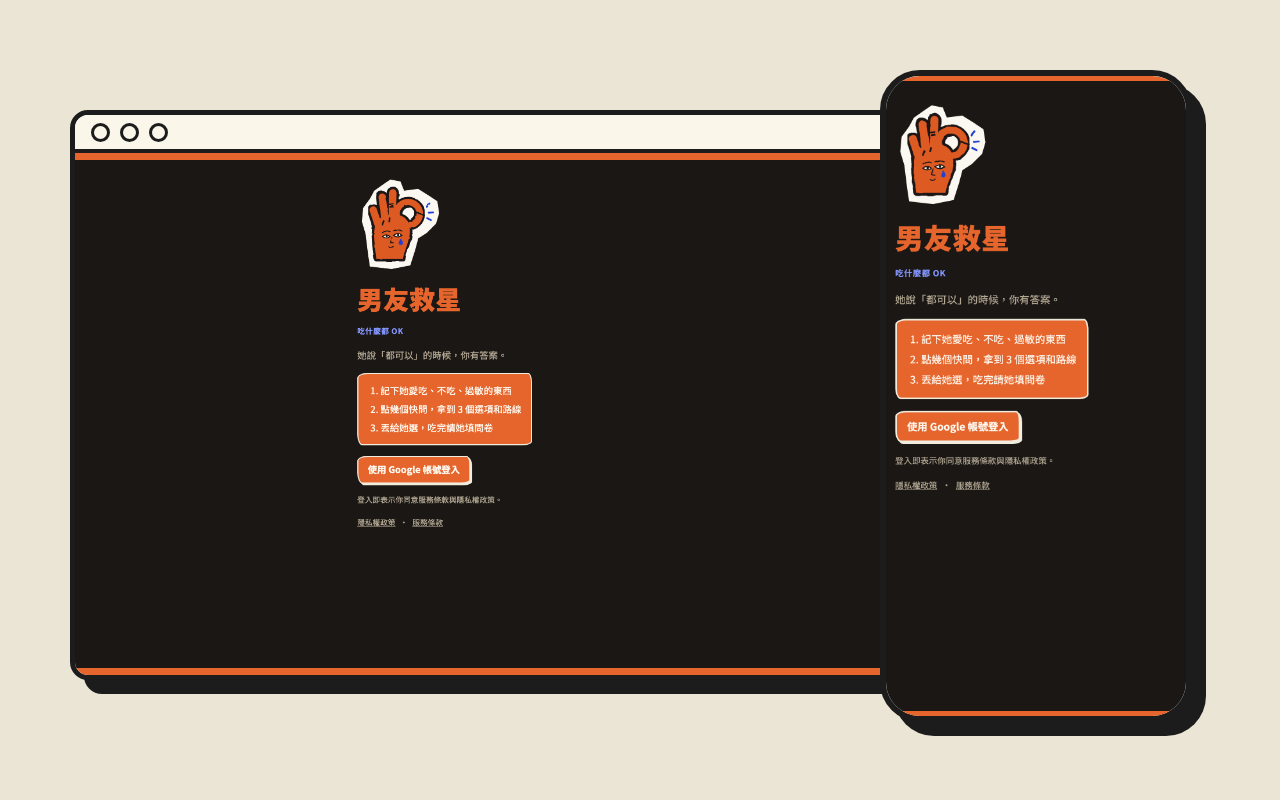
Boyfriend Rescue OPENDinner help for when she says “anything’s fine”
01 / DINNER
Life & CompanionshipOPEN
Tell it about this meal and how she is feeling today, and it picks three restaurants for you, with why each one fits and how to get there. Let her choose, then send her a short survey after the meal so the next pick knows her better.
Remembers what she loves, skips and is allergic to
A few quick questions give you 3 options and routes
She chooses, then fills in a short survey after the meal
This service is in Taiwanese Mandarin. Sign in with Google; you can export or delete your data at any time.
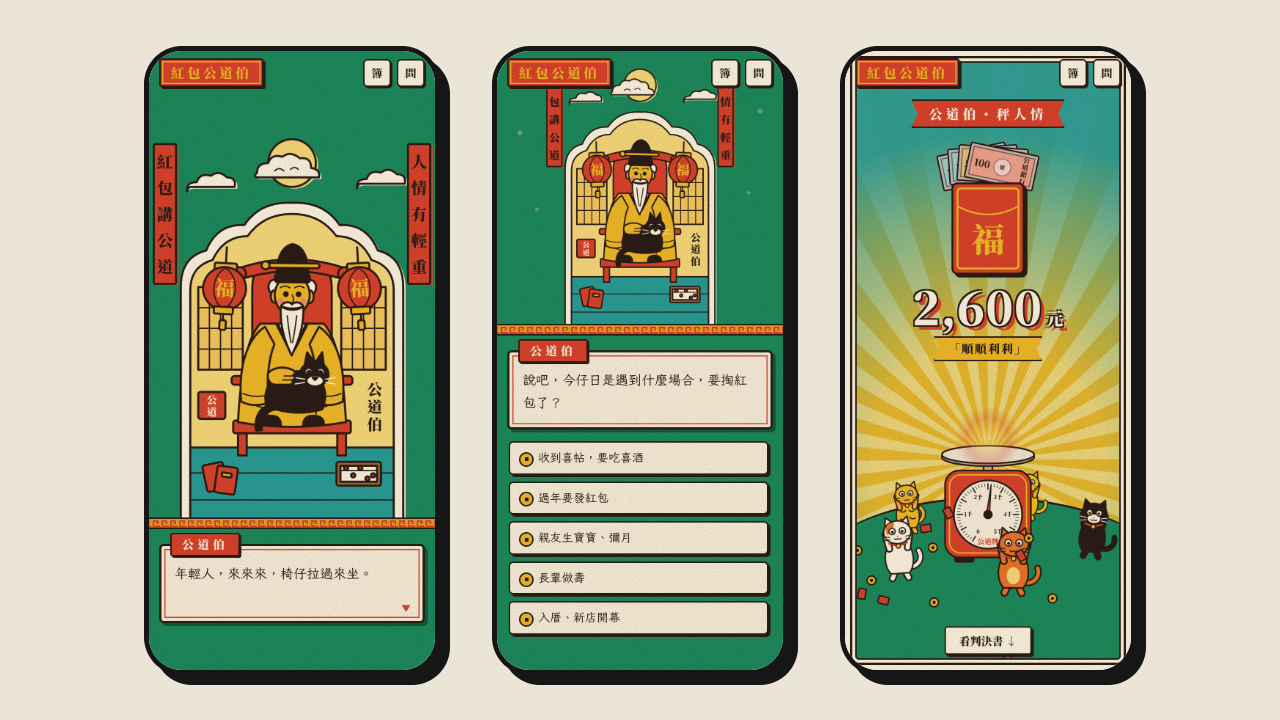
Red Envelope Fair Elder OPENA chatty little judge for red envelope amounts
02 / RED ENVELOPE
Life & CustomsOPEN
A wedding invitation arrives or Lunar New Year comes around: how close are you, will you attend, how tight is money, and what did they give you last time? Answer the Fair Elder one question at a time, and cats dance around a market scale to weigh out an amount that is polite without hurting your wallet.
Chat-based advice for five occasions: weddings, Lunar New Year, a baby’s first month, birthdays of elders and housewarmings
Lucky numbers, no 4s, and returning what others gave you
A written verdict, calendar reminders and share cards for social media
This prototype is in Taiwanese Mandarin. No sign-in is needed; amounts follow common Taiwanese practice and are for reference only. Try it without signing in; sign in with a KiWEDOGO account to record every verdict in your red envelope book on any phone and share verdict cards.
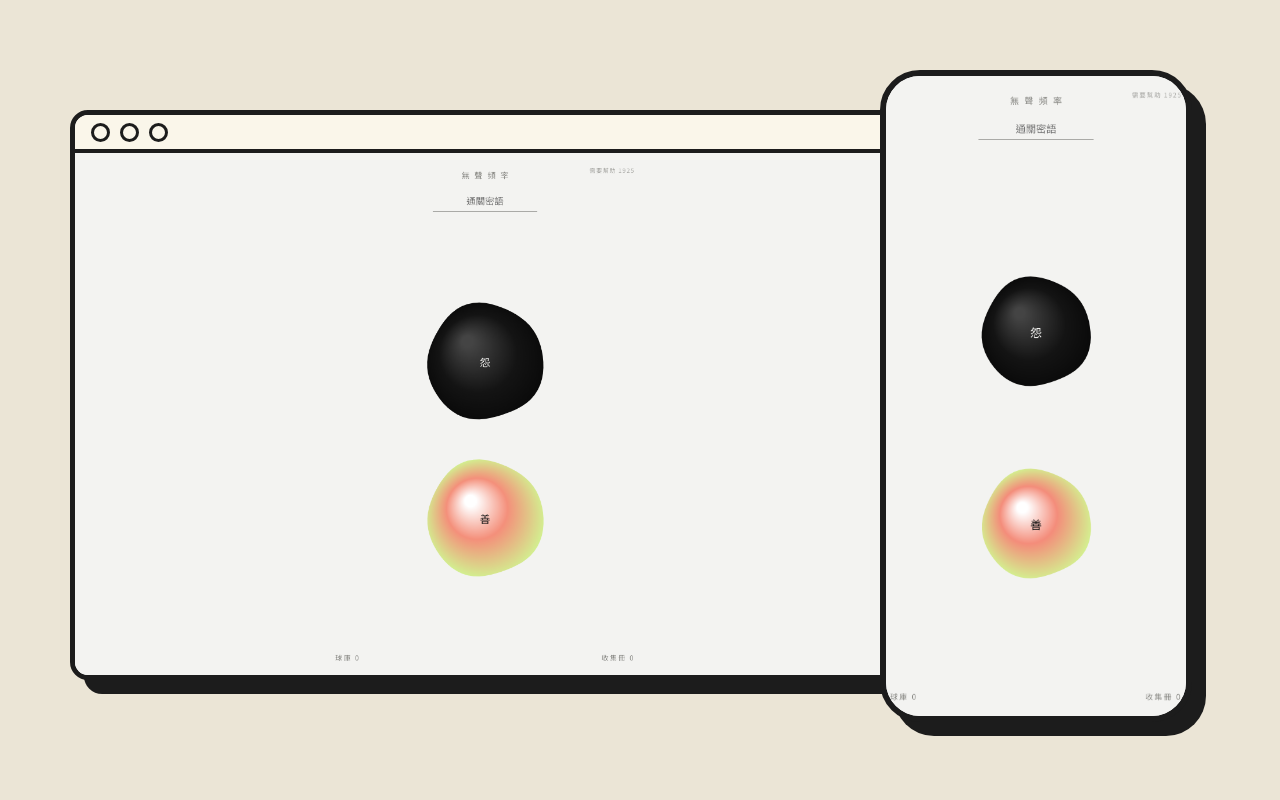
Silent Frequency OPENTurn a grudge or a kind thought into a ball
03 / LET IT GO
Mood & ComfortOPEN
Something stuck in your chest, or a kind word you want to say? Tap the screen and say it once, and it becomes a ball. Then let it float away, burn it, or keep it in your ball bin; your collection book keeps the cards.
Two kinds of balls: grudge and kindness
Let it float away, burn it or keep it
A collection book of your own cards
This service is in Taiwanese Mandarin and needs a passphrase to start during the test; sign in with a KiWEDOGO account to keep your balls and cards on any phone. If you need help, Taiwan’s free 24-hour lines are 1925 and 1995.
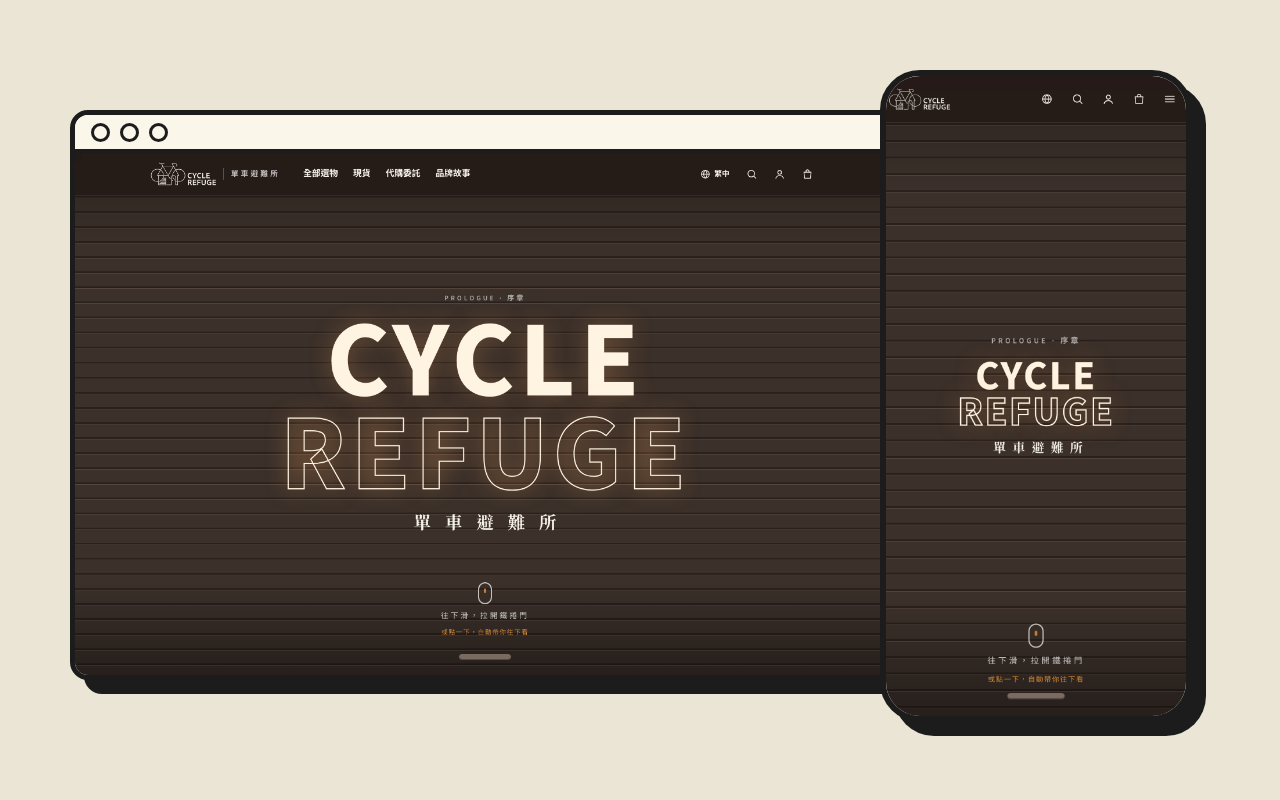
Cycle Refuge OPENEuropean cycling gear, picked and ordered for you
04 / BIKE SHOP
Shop & BrandOPEN
A cycling shop we run with a good friend: gear and team kit picked by people who know bikes and shipped straight from European bike shops, in stock or ordered on request. Scroll to raise the shutter and meet the shop chapter by chapter.
Gear in stock and orders on request
Clear prices and progress you can follow
A shop in six languages
Stock, ordering and payment follow what the shop’s own site says.
LocalSnip and TodayDesk are available now, with more tools on the way. Each tool’s page has the final word on versions, installation and trial limits.
Prototypes to tryStill being tested: try them and tell us what you think
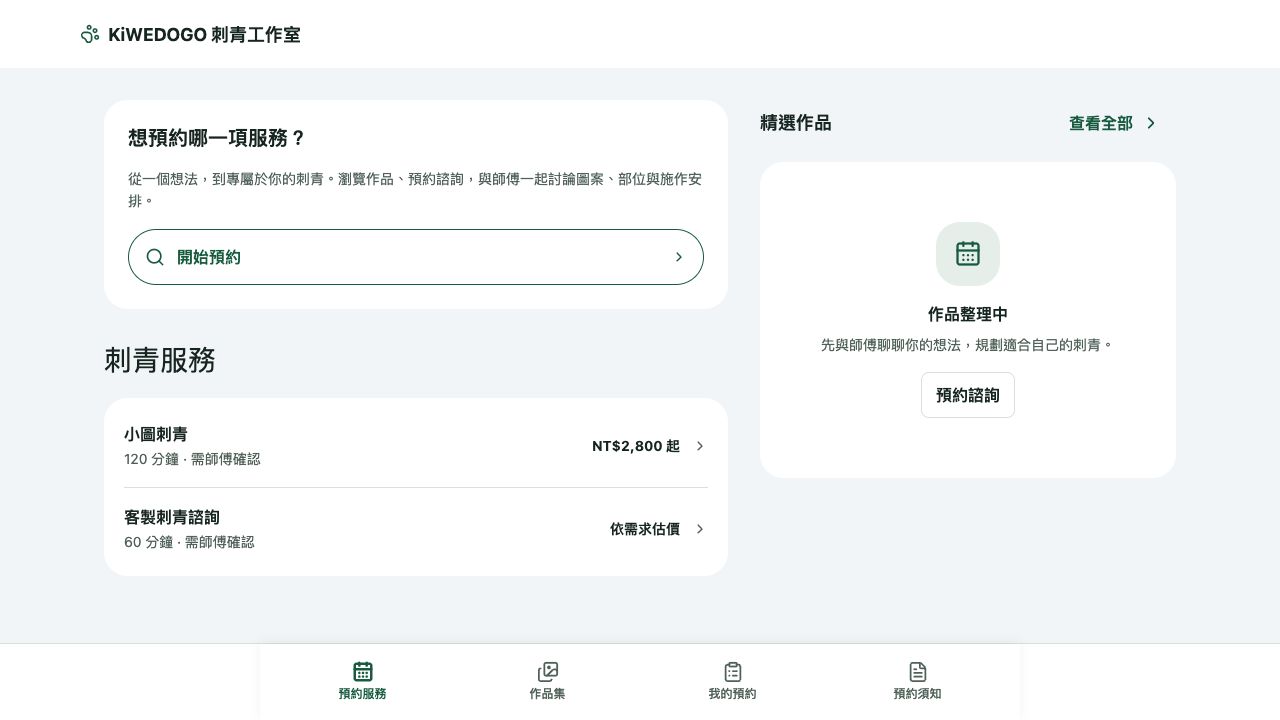
BookingSeats PROTOTYPEA booking helper for tattoo studios
01 / BOOKING
Business & ServicesPROTOTYPE
From browsing work and discussing tattoo ideas to choosing a service and scheduling a time, it turns bookings scattered across messages into a clear flow, so independent studios can focus on their art.
Browse services and portfolio
Custom consultation and booking flow
Studio scheduling and content management
Visitors can browse services first. Booking and personal records require LINE login, and studio management requires an authorized account.
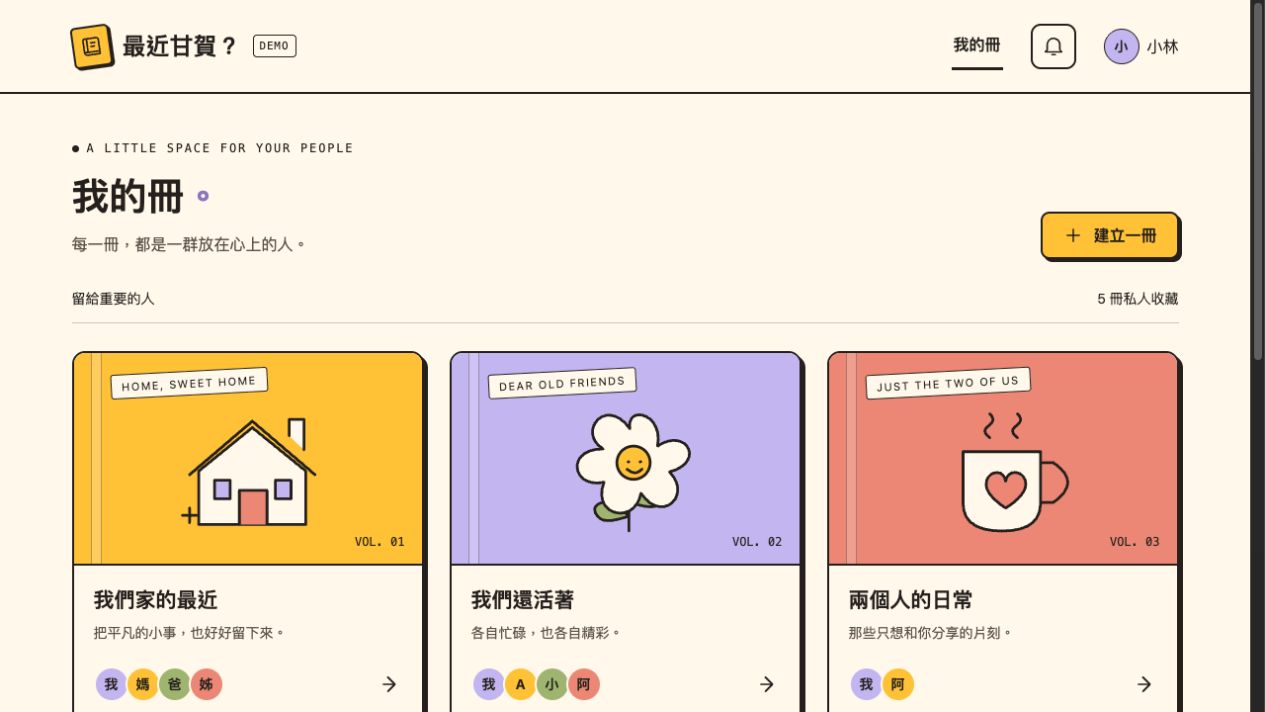
How's It Going? (最近甘賀?) WEB DEMOKeep updates from the people who matter in one notebook
02 / SHARING
Life & CompanionshipWEB DEMO
A relaxed space for family, friends, or partners. Write a post, read one, or reply, each on your own time. No instant replies needed, and life's little moments have a place to stay.
Create your own notebooks with colorful covers
Write posts, save drafts, and preview before publishing
Read updates and leave replies
This is a demo version. Data is saved in your current browser, and invites and voice summaries are demo flows. A separate account-based test version with Google login and shared text notebooks also exists.
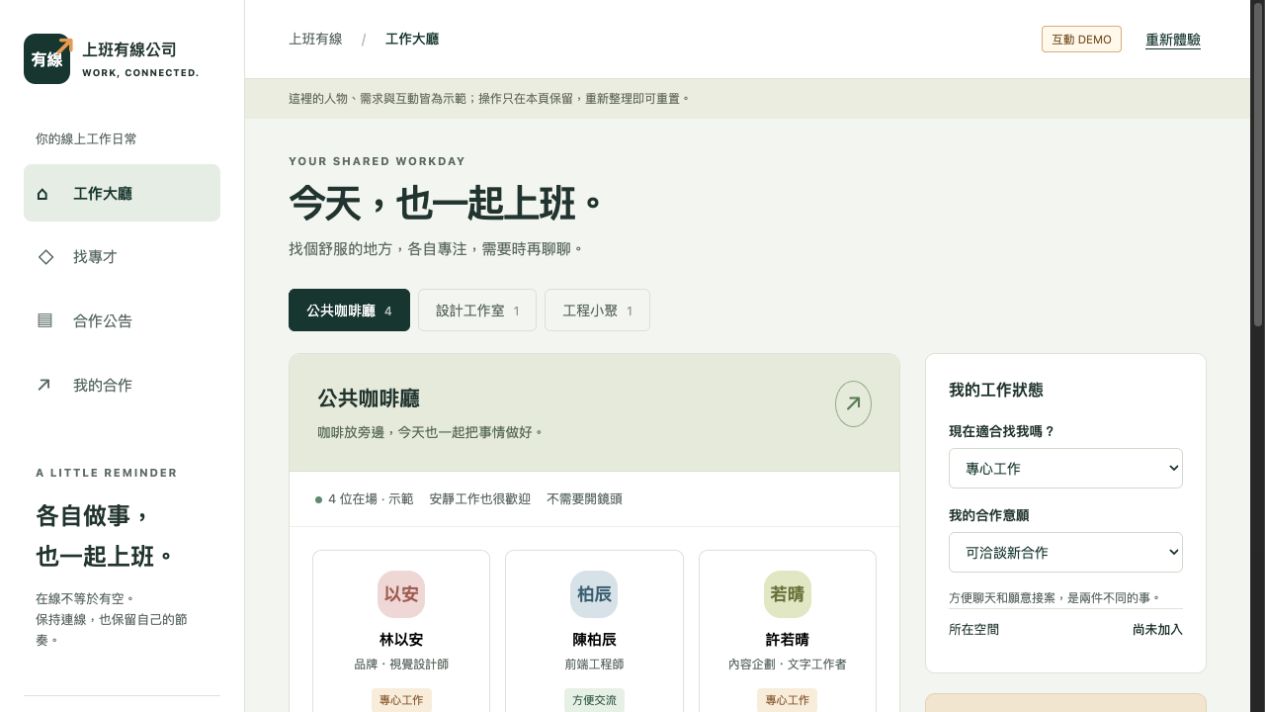
Wired Office Co. (上班有線公司) WEB DEMOA place to work side by side and find collaborators
03 / WORKING TOGETHER
Work & CollaborationWEB DEMO
Freelancing can still feel like having coworkers. Join an online workspace, share what you're working on and whether you're open to chat, then use talent listings and project posts to turn chance meetings into getting something done together.
Join a workspace and set your status
Talent search, project posts, and invites
Simulated mutual confirmation and completion of a collaboration
All people and collaborations are demo data and reset on refresh. Real accounts, multi-user sync, and notifications are not available yet.
CloudSpotter WEB PROTOTYPEMake looking up at clouds a daily practice
04 / LOOKING UP
Observing & RecordingWEB PROTOTYPE
Pause the rush and see what the sky is turning into. Starting from cloud watching, cloud types, and a diary, it explores how to keep a cloud and the feeling of the moment as your own life record.
Explore the home page and cloud-watching interface
Browse the cloud diary
Learn about cloud types
Currently a web prototype. Sky info may keep loading, diary entries may not survive a refresh, and camera and location still need device testing.
LINE OA Restaurant Ordering WEB DEMOA restaurant ordering demo built for LINE OA traffic
05 / ORDERING
Food & ServicesWEB DEMO
From choosing dishes, options, and add-ons to picking a takeout time, it connects customer ordering and kitchen prep into one clear flow. Try online ordering at the demo restaurant "Eat Well (好好吃飯)" and explore how a restaurant can manage orders and its on-site pace.
Menu, dish options, add-ons, and cart
Takeout pickup time slots and order progress
Order acceptance, prep, payment records, and handoff for the store
Sold-out items and capacity management
A working demo for a single store, same-day takeout pickup, and payment on site, using demo data. The store dashboard requires a trial code. Real LINE Login, LIFF on mobile, and push messages have not passed acceptance testing yet, and no online payment is connected.
Kenting Bay (墾丁灣) Room Booking WEB DEMOFrom single rooms to whole-house rentals, exploring a LINE lodging booking flow
06 / STAY & BOOKING
Lodging & BookingWEB DEMO
Set at the Old Town Building 2 and Countryside Building 3, it links finding a stay, picking dates, confirming per-night prices, and booking records into a clear journey. It also helps the guesthouse manage shared room availability for single rooms and whole-house rentals, seasonal pricing, and booking status.
Search stays by building, dates, and number of guests
Room and whole-house plans, per-night quotes, and price confirmation
LINE login, demo bookings, and your own booking records
Admin room availability, room blocking, and seasonal and special-date rates
This is a showcase system. Room availability, seasonal prices, and deposit settings still await confirmation by the guesthouse, and no real bookings are made. Booking requires LINE login, and the admin side requires authorization. Real payments, refunds, and LINE notifications are not provided, and the LINE mobile experience still awaits acceptance testing.
CarOK WEB PROTOTYPEA lightweight service and vehicle-history tool for independent auto repair shops
07 / CAR CARE
Auto Care & ServicesWEB PROTOTYPE
The mechanic snaps the paper work order, and a chat asks one question at a time to fill in the reasons, things to watch and the next service, turning it into a record car owners can understand. One owner can manage several cars, each linked to a shop they trust, so after changing shops they no longer have to describe their own car with “I think it was…”.
Snap the work order and answer follow-up questions in chat to finish a service record
Shop-only notes kept separate from what the owner sees
Garage character cards: maintenance progress and things to watch
Two-way linking between shop and owner, active only after the other side confirms
This is a demo prototype in Taiwanese Mandarin. No sign-in is needed and data stays only in your browser; to see each other’s records, switch between the shop and owner roles in the same browser. Photo recognition is simulated for now, and maintenance progress and things to watch are the shop’s suggestions, not a judgment of the car’s condition. Try it: pick 我是店家 (shop) → 南港阿明汽車 → 車輛 (vehicles) → any car → 對話記錄(可拍工單).
Not seeing what you need?Post a “wouldn’t it be nice if…” and the next thing on the shelf could be yours. Want a service of your own? Talk to the workshop.
Every idea starts from a small problem in daily life or work. Some are concepts, some are prototypes, some are still being built. Illustrations are AI concept art.
37 ideas
01 · Life & Companionship
Meet each other as your cats
What if your cat made the friends?
Where it started
It starts with real cats and puts pet-raising play, room decorating, and socializing into one small world.
The problem
People-centered social apps can create pressure to perform. Pet photos are often shared once, with no ongoing way to interact.
Our approach
Turn cat photos into pixel characters with feeding, care, and room life. Visits, posts, and comments let interaction start from your cat's daily routine.
02 · Life & Companionship
Make looking at clouds a daily habit
What if you could keep a little piece of sky every day?
Where it started
Busy days and screens fill our lives, yet the sky keeps changing. This idea hopes to make noticing it a habit again.
The problem
Feelings in the moment fade fast, and a full diary feels like a chore. People need a way to record things without social pressure.
Our approach
Collect clouds with photos, plus the time, weather, a traced outline, and one line of text. Together they form a cloud diary you can look back on, keeping the focus on how you felt.
03 · Life & Companionship
Be together without having to chat
What if friends had a room that's always there?
Where it started
Living apart means fewer chances to just sit together casually. Company doesn't always need a formal call.
The problem
Chat rooms expect constant replies, and video calls demand attention. Neither fits the need to simply be quietly together.
Our approach
Plan a personal pixel room where close friends can drop in, move around, sit down, or leave a note, exploring everyday company through low-pressure shared presence.
04 · Life & Companionship
A place to talk slowly
What if life updates didn't need an instant reply or a public post?
Where it started
Between family, friends, and partners, some things are best said slowly, and are worth keeping.
The problem
Instant messages get buried, public social media isn't right for every private update, and writing long posts can feel like a barrier.
Our approach
Keep text, photos, and replies in separate private notebooks. Explore voice input and AI-drafted summaries that the writer confirms before sharing.
05 · Life & Companionship
Pass one diary around, turn by turn
What if a small circle of friends had a gentle rhythm of turns?
Where it started
It brings the rhythm of school-days exchange diaries back to friends now spread across different lives.
The problem
Group writing often stalls when no one picks it up. Private content also needs clear rules on who can read and whose turn it is.
Our approach
Plan private diaries, friend invites, and a fixed rotation with hand-offs, reading, and comments, so each round of exchange becomes a reason to stay in touch.
06 · Life & Companionship
What's for dinner? Check the fridge first
What if dinner's answer was already in your groceries?
Where it started
This meal tool starts from choosing today's meal, linking what's in the fridge to what you can cook.
The problem
Not knowing what you can cook, or what's missing, is a closer-to-life problem than lacking a weekly meal plan.
Our approach
Link the flow as fridge ingredients → possible dishes → today's meal → the week's plan. Soon-to-expire items and missing ingredients factor into choices, and AI suggestions are previewed before you confirm.
07 · Life & Companionship
Turn a meeting into a conversation
What if getting to know someone felt like one continuous journey?
Where it started
Mobile social products need to connect profiles, discovery, mutual likes, and chat into one complete journey.
The problem
When matching, messages, and notifications work separately, users easily lose the thread of their interactions.
Our approach
Design a continuous flow across profiles, match discovery, chat, and notifications, with admin features to support running the service. This case focuses on product direction.
08 · Business & Services
Wired Office Co. (上班有線公司)
What if an online workspace let teamwork happen naturally?
Where it started
Let independent workers bring their real skills online, work side by side, and see each other.
The problem
Remote work lacks everyday time together, and tools for finding collaborators usually only get opened when a need comes up.
Our approach
Combine a shared workspace with skill showcases, talent search, and project posts, so "working together" and "finding collaborators" each stand on their own and connect naturally.
09 · Business & Services
From loving the work to booking the studio
What if booking started with understanding the work?
Where it started
An independent tattoo studio needs to show its style, understand custom requests, and schedule the right session time.
The problem
Portfolios, consultations, and bookings are scattered across different chats. Customers can't easily see the next step, and the studio has to organize everything.
Our approach
Bring portfolio display, custom consultation, session booking, and studio management into one flow, starting with a prototype to explore a single studio's real needs.
10 · Business & Services
Connect LINE chats to the ordering flow
What if ordering and back-office work connected through a familiar app?
Where it started
Businesses that use LINE as their service entry point need to connect what customers do with how orders are managed afterward.
The problem
When chat info and order status live in different places, it adds extra work to sort and search.
Our approach
Pair a LINE LIFF ordering interface with an admin dashboard and messaging events, so front-end orders and back-office handling share a clear order context.
11 · Business & Services
Let the artwork be the star of the site
What if an artist's website could stay up to date on its own?
Where it started
Artwork needs careful presentation, along with a content management approach that's easy to keep up.
The problem
If display and management are disconnected, every update may need an engineer, and content is hard to keep consistent.
Our approach
Split the work between a portfolio front end, a public content API, and an admin system, giving visual presentation and everyday updates each their own clear entry point.
12 · Learning & Creating
Make a story you can interact with
What if reading a story meant walking through it yourself?
Where it started
A narrative website built from chapters and scenes, exploring how visuals, interaction, and reading pace relate.
The problem
Static pages struggle with scene changes, and interactive design must still keep the story flowing.
Our approach
Split the entrance, chapter selection, and main experience into clear pages, using scene visuals and interactive elements to draw readers into the story step by step.
13 · Business & Services
KiWEDOGO (奇異狗之) Official Website
What if getting to know a company started with a quick game?
Where it started
The brand wants to express companionship, curiosity, and growing together, and hopes visitors can feel its playfulness right away.
The problem
Long service descriptions rarely make a brand memorable. The brand's values need an entry point people can experience firsthand.
Our approach
Open with a plane shoot-'em-up game, followed by a simple brand story and case studies, connecting "Keep we do, keep we go" to concrete ideas.
14 · Learning & Creating
Find your next song by mood
What if describing a feeling could find you music?
Where it started
Music discovery isn't only about song titles and artists. It can start from a mood, a setting, or a feeling that's hard to put into words.
The problem
Regular keyword search can't express a mix of emotion and style, and users may not know which tags to search for.
Our approach
Plan to map song traits and user descriptions onto dimensions like mood and style, then recommend songs by semantic matching, so finding music feels more like describing it naturally.
15 · Learning & Creating
Turn one phrase into a story
What if learning English started with a scene you understand?
Where it started
Short videos and images offer another way to learn a language. Phrases need context to stick.
The problem
Turning one lesson topic into copy, storyboards, narration, and subtitles leaves content scattered and hard to keep consistent.
Our approach
Build a complete content package from a single phrase, linking a scene script, storyboard, narration, and subtitles so the teaching idea flows into production.
16 · Learning & Creating
Look up a word without losing your train of thought
What if a dictionary lookup was just a tiny step in your reading?
Where it started
When reading English, you often just need to understand one word quickly and get back to what you were doing.
The problem
Switching apps and digging through pages of results breaks your reading, and a translation alone may not show how a word is used.
Our approach
Open a small lookup window with a shortcut, showing part of speech, a Mandarin definition, and example sentences in context, so you can read everything in one place.
17 · Learning & Creating
Turn a song into practice material
What if practicing with backing tracks meant less file wrangling?
Where it started
Singing practice uses the original track, the vocals, and the backing track, and all of it needs a consistent way to stay organized.
The problem
Handling audio files, naming them, and saving them in different places by hand is repetitive and makes it hard to pick practice back up.
Our approach
Starting from local audio files you're licensed to use, design a flow for source separation and practice-folder output, turning material prep into a repeatable task.
18 · Everyday Tools
Keep today's to-dos in front of you
What if reminders lived on your desktop, not buried under messages?
Where it started
Daily planning often just needs to answer: what do I do, and when, today and tomorrow?
The problem
Big planning tools are too heavy, ordinary notifications are easy to miss, and unfinished items need somewhere to stay.
Our approach
A small, always-on Mac window for scheduling. When it's time, it shows pending items with done and snooze actions, and keeps a record of your schedule and actions.
19 · Everyday Tools
Put Mandarin–English switching at your fingertips
What if switching input methods didn't mean guessing shortcuts?
Where it started
When working across desktops and remote tools, Mandarin and English input status needs clearer cues and controls.
The problem
Shortcuts don't always work well in every situation, and users may not be sure which input method is active.
Our approach
A native Mac floating icon shows Mandarin or English status, with click-to-switch and drag-to-place, exploring more direct input control.
20 · Everyday Tools
Bring the monthly plan down to today
What if your monthly, weekly, and daily plans told the same story?
Where it started
Personal work means going back and forth between long-term direction and what you can do each day.
The problem
Monthly, weekly, and daily plans sit apart, tasks get maintained more than once, and overdue work has no clear way to be rescheduled.
Our approach
Use one set of task data across monthly, weekly, and daily views, supporting breaking work down, rolling it up, and reviewing overdue items, so plans can keep adjusting.
21 · Everyday Tools
See where every purchase belongs
What if your credit card bill became a clear view of your life?
Where it started
Personal spending, shared household costs, and work expenses paid upfront can all show up on the same bill.
The problem
Knowing how much you spent isn't enough. You also need to sort out purpose, who it belongs to, and the matching receipts.
Our approach
Import credit card data to build spending records, add type suggestions, manual confirmation of who it belongs to, and receipt links, so categorizing and tracing work together.
22 · Everyday Tools
Give reconciliation a traceable path
What if categories, rules, and search all lived in one accounting workbench?
Where it started
Sorting out credit card expenses means importing, filtering, categorizing, and checking again and again.
The problem
Purchase dates and posting dates answer different questions, and mixing them makes monthly accounts hard to follow. Categorization rules also need to be reviewable.
Our approach
A transaction workbench that brings together import, rules, search, and categorization, separates the different date views, and keeps a way to check back against the source.
23 · Everyday Tools
Record each purchase only once
What if receipts, emails, and bills all pointed to the same transaction?
Where it started
Clues about spending are scattered across paper receipts, emails, credit card bills, and manual notes.
The problem
One purchase may leave several notices. Treating each as a transaction double counts, while bills alone lack item details.
Our approach
Plan around the real purchase as the core, linking multiple sources together, with data recognition, deduplication, amount checks, and monthly summaries.
24 · Everyday Tools
Make shared costs and reimbursements easier to sort
What if monthly expenses didn't mean re-identifying every line?
Where it started
One personal bill may need to be split into your own ledger, shared costs, and work expenses paid upfront.
The problem
Repeated exports, manual checkmarks, and receipt sorting make it easy to lose track of which month and purpose each item belongs to.
Our approach
A reusable flow for bill export, category confirmation, and receipt sorting that keeps human decisions and source links, then turns them into reports for each purpose.
25 · AI & Ways of Working
Turn "I want…" into a clear brief
What if a requirements doc could grow out of a conversation?
Where it started
Many products start as fuzzy ideas, and the people behind them aren't always familiar with spec documents.
The problem
Jumping straight into building can skip over goals, constraints, and use cases, and later discussions are hard to pick up.
Our approach
Use AI conversation to help clarify needs, then organize them into a structured summary that can be versioned, shared, and exported, so the idea takes shape step by step.
26 · AI & Ways of Working
Turn what was said in meetings into next steps
What if a recording left behind next steps, not just a file?
Where it started
Meetings and discussions hold requirements, decisions, and to-dos, but that info often stays stuck in audio files.
The problem
Re-listening takes time, and a transcript isn't the same as clear meeting notes. Recording, transcription, and analysis need to connect.
Our approach
A local-first workspace that links recording, transcription, transcript export, and analysis, turning meeting content into material you can review and organize.
27 · AI & Ways of Working
Back-office support for a one-person studio
What if designers could save their energy for direction and creative work?
Where it started
Freelance design work involves more than design: requirements, planning, quotes, purchasing, follow-ups, and handoffs.
The problem
When one person switches between many roles, project info and follow-up work end up scattered across documents.
Our approach
Organize work by project stage and department role, with AI helping on documents, tracking, and cross-project summaries, while the founder keeps direction, design, and client sign-off.
28 · AI & Ways of Working
Give AI-assisted development a process that carries on
What if every build left a starting point for the next one?
Where it started
AI-assisted development isn't just generating code. It also covers understanding requirements, design, review, and testing.
The problem
A single conversation easily loses context, and work across different roles needs a shared delivery structure.
Our approach
Explore a staged process from requirements to verification, turning roles, specs, reviews, and knowledge into reusable methods that build up experience across projects.
29 · AI & Ways of Working
Turn AI collaboration into trackable work
What if long tasks always knew where they stood and what's next?
Where it started
Software that keeps evolving needs tasks, tools, and verification data to share a common context.
The problem
When work is interrupted, versions change, or tasks are handed off, conversation memory alone can't confirm what's truly done.
Our approach
Link delivery through work items, skill-based roles, execution logs, and verification gates, keeping recoverable progress and checked knowledge.
30 · AI & Ways of Working
Give AI actions clear boundaries
What if every change came with a known scope and reason?
Where it started
Once AI can work with files and tools, the scope of work, responsibility for changes, and acceptance criteria need to be spelled out.
The problem
When sources change or several parties edit at once, mismatched states are easily mistaken for the same result.
Our approach
Use a clear work scope, a single owner for changes, independent review, and evidence checks to explore development collaboration that balances speed and traceability.
31 · AI & Ways of Working
Let automations reach a person when they're done
What if small tools didn't each have to rebuild notifications?
Where it started
Many kinds of automation need to send a notice when they finish, hit an error, or need help.
The problem
When each project connects to messaging services on its own, recipients, content, and usage get handled over and over, and are hard to manage in one place.
Our approach
Turn message sending into a shared entry point, starting with LINE notifications, with previews, chosen recipients, and usage lookups, so tools share one consistent way to notify.
32 · AI & Ways of Working
Give every idea its own test space
What if sharing a prototype didn't mean rebuilding the setup each time?
Where it started
Multiple projects and versions each need their own testing, plus an easy way to share previews.
The problem
When services, ports, and data are mixed together, they can interfere with each other, and updates need to know which source they came from.
Our approach
Organize previews with separate test spaces, clear sources, and deployment contracts, bringing isolation, updates, and rollback into one way of working.
33 · Business & Services
Back list research with verifiable evidence
What if finding partner brands meant more than collecting names?
Where it started
Business development first needs to identify brands that meet size and channel criteria, then decide whether they're worth a closer look.
The problem
Store counts, social media reach, and brand identity are scattered across outside sources, and the data may be outdated, missing, or conflicting.
Our approach
Design a criteria-based brand discovery flow that gathers public info, keeps observation dates and sources, and sends anything unconfirmed to human review.
34 · AI & Ways of Working
Make login and sharing a shared starting point
What if new tools didn't have to build accounts from scratch?
Where it started
Many apps need sign-up, verification, login, and a way to share content with specific people.
The problem
These seemingly repetitive features involve different permissions and invite states. Rebuilding them each time leads to inconsistencies.
Our approach
Pull email verification, login, sharing, and role permissions into standalone demo components that future products can reference and adapt to their own needs.
35 · Web3 Experiments
Connect community participation to digital rewards
What if joining an event could link to verification and digital collectibles?
Where it started
Community events by brands or creators want to link participation, eligibility checks, and the reward process.
The problem
Community tasks, event status, and on-chain actions are scattered, so users easily get lost between steps.
Our approach
Explore combining community task verification, event eligibility, and reward distribution, with wallet and digital collectible interfaces, to build one consistent participation journey.
36 · Web3 Experiments
Explore ways to share creator income
What if the rules for splitting digital work income were easier to see?
Where it started
Between trading digital works and community participation, there's room to explore different revenue-sharing models.
The problem
How revenue is collected, held, calculated, and claimed needs a clear division of roles and rules that can be reviewed.
Our approach
Use modular contracts to explore royalty collection, asset custody, and distribution, breaking the rules into clear responsibilities. This only describes the design concept.
37 · Web3 Experiments
Another form for software licenses
What if users could hold and transfer their own licenses?
Where it started
Software licenses are usually tied to platform accounts. This idea explores a different way to hold them.
The problem
Developers keep rebuilding account and license systems, and users' rights to use services lack a shared form across services.
Our approach
Plan for digital credentials that represent the right to use a service, with wallet verification and a shared license interface, exploring how holding, verifying, and transferring relate.
No ideas match.
Don’t see what you need?Drop your idea in the postbox. The next piece in this gallery could be yours.
LATEST ISSUES
Notes from KiWEDOGO: AI in practice, fun issues and new IDEAs. Every article is also shared on Threads.
Articles are currently written in Taiwanese Mandarin only.
Spotted an idea you like?Drop your “if only this existed” in the mailbox. It might be the next issue.Follow on Threads ↗
ABOUT / THE BRAND
奇異狗之 — it sounds like “kiwi juice”.
Our Chinese name is 奇異狗之 (people sometimes type it 奇異狗隻), and KiWEDOGO comes from Keep we do, keep we go. We start from things that are fun, turn ideas into software that really works, and keep moving forward together.
Post an IDEALeave your “wouldn’t it be nice if…” in the postbox.
We build itWe pick, design and build it in small, quick steps.
On the shelfFinished things go up in Works, ready to use.
Our StoryWho we are and how we started
From doing things well to getting things done, together.
The KiWEDOGO story begins with hands-on engineering work.
Front End & Back EndMIS & DatabasesProject ManagementClients & Business
Read the whole story
At first, we cared about whether a screen was easy to use, whether a piece of code ran correctly, and whether things happened as expected after a user pressed a button. From front-end interfaces to back-end services, from system operations to databases, every build and every fix taught us that a simple-looking experience depends on many parts working together.
Later, our work found its way into more people's daily lives.
In project management, we learned to clarify needs, set priorities, and keep different roles moving in the same direction. In talking with clients, we learned to ask one more question and listen a little longer, to understand what a request is really trying to solve. As our view widened to business, we began thinking about products in their full context: Who will use it? Why do they need it? And how can it keep creating value?
Over time, these experiences became the way KiWEDOGO works with others.
We use an engineer's care to do things well, a project manager's structure to keep things moving, a client-minded patience to find the real problem, and a business view to choose directions worth investing in.
We believe good collaboration means different skills understanding each other. Technology that hears the need, design that stays close to real use, ideas that get a chance to reach the real world, and every attempt bringing back answers for the next step.
So when you come to us with an idea that hasn't taken shape yet, you don't need every spec ready. We can talk through the problem together, build a first version, adjust it through real use, and move forward one step at a time.
This is KiWEDOGO: starting from playful ideas, helping you get things done, and growing together along the way.
Keep we do, keep we go.
Build With UsWe turn what you need into software
Desktop, web, mobile and business workflows: we start from how things are really used and find the right software, integration and AI for you. Start with one small tool, or connect your existing systems step by step.
Websites & Web Platforms01 / WEB PLATFORMS
Help your brand get seen and help users get things done. From showcasing content to login, search, booking, and transactions, we design web services that are clear and easy to maintain.
Mobile & Desktop Apps02 / CROSS-DEVICE APPS
We pick the right device based on where people work and how they use it. Browser, mobile app, or desktop tool, we put features where they're actually needed.
Business Management & Operations Systems03 / BUSINESS SYSTEMS
Turn processes living in forms, spreadsheets, and verbal handoffs into a system. Start with one department's needs, then expand step by step based on permissions, data, and how people work together.
Data, Back End & System Operations04 / DATA & OPERATIONS
Give your data a clear structure and your systems a maintainable foundation. From databases and back-end services to deployment, monitoring, and backups, we plan to fit your actual scale.
System Integration & Workflow Automation05 / INTEGRATION & AUTOMATION
Let scattered tools share data and cut down on re-entering and moving data by hand. We first map sources, rules, and exceptions, then connect the work that repeats.
AI Agents in Business Workflows06 / AI AGENTS AT WORK
Let AI help look up info, organize content, and operate tools within a clear scope. We start from one work scenario that can be verified, and design in permissions, human review, and failure handling from the start.
Exact OS versions, devices, browsers and deployment environments are agreed in each project’s acceptance scope.
CLEAR SCOPE / AGREE ON THE LIMITS FIRST
Agree on what we deliverTogether we define needs, priorities, platforms, roles and how we accept the work. Prototypes, demos and production systems are delivered in stages.
Existing systems and outside platformsIntegrations need working APIs, data, a test environment and proper authorization; third-party platform limits are reviewed case by case.
Build and upkeep, priced separatelyDevelopment, deployment and maintenance are agreed separately from hosting, domains, third-party subscriptions and AI usage costs.
Software, not hardwareOur core is software and workflows. Hardware, on-site networking, firmware and special certifications need a separate plan.
FAQAbout our name and what we do
What is KiWEDOGO?
KiWEDOGO (奇異狗之) is a software studio from Taiwan that turns ideas into tools people really use. We build websites and platforms, mobile and desktop apps, business systems, data back ends, workflow automation and AI agents for clients, and we also run our own online services and free Mac tools.
Where does the name come from?
Our Chinese name, 奇異狗之, sounds like “kiwi juice” (奇異果汁) in Mandarin. KiWEDOGO comes from our motto, Keep we do, keep we go.: keep making, keep moving.
Are 奇異狗隻 and 奇異狗 the same KiWEDOGO?
Yes. The right spelling is 奇異狗之, ending in 之. If you typed 奇異狗隻 or just 奇異狗, you were looking for us: KiWEDOGO, at kiwedogo.com.
What can I ask KiWEDOGO to do?
Bring an idea, even a rough one. We work out the problem together, build a first version and adjust it as it gets used. Our finished work is under Works, and you can drop an idea in at Post an IDEA, where you will also find the contact form.
So, what would you like to run more smoothly?No need to pick a technology first. Start with one problem, one workflow, or one version you can try.
2026 VOTE / Platform board
2026 mayoral platform board
The campaign frames of three candidates in Taipei, Taichung and Kaohsiung. Open one for the gist, then go to the full summary or their own sites.
As of 2026-10-19, summarised in our own words; every point in the full summary has its source. Platforms may change during the campaign; the candidates’ sites and the official election bulletin come first.
Read it all at once?All three platforms point by point, each with a date and a source, on one page.Read the full summary ▶
ARCADE / KiWE Fun Arcade
KiWE Fun Arcade
Our tribute to the fun games of childhood (the slime’s first home)
KiWE ThunderboltGalaxy shooter · 100 levels
Version 2.9.1 · updated
Fly KiWE’s saucer across the galaxy: from Earth past Jupiter, Saturn, a black hole and the galactic core to the edge of the universe at level 100. Fight silicon, carbon and metal life and alien bosses; every trip to the edge unlocks a new saucer, five in all.
Never played? Works on phones and computers, no sign-in needed.
Loading the score wall… if it doesn't appear, check back a little later.
Every finished run posts its score to this public wall automatically, no sign-in needed: the random ID the server gives your browser holds no personal data and only counts scores from the same browser as one player. Signing in uses your KiWEDOGO account; the wall shows only your character name and a half-hidden code that tells same-named players apart. To remove a score, send us a message. Privacy
Duo wall
Loading the score wall… if it doesn't appear, check back a little later.
Changelog
v2.9.1
Duo fixes: player 2's own phone now decides when player 2 is hit, so dodging a shot on your screen no longer costs a heart; the waiting room has 「Change saucer / paint」, which takes you straight back, and your teammate sees the new saucer at once.
v2.9.0
Duo co-op (beta): sign in to your KiWEDOGO account, open a room, send the invite link to a friend, and go when you are both ready, with voice chat if you like. Each ship has its own hearts; a downed teammate floats as a ring, stay by it for 3 seconds to bring them back, and the run ends only when both are down. Foes are tougher, power-ups go to whoever touches them, and scores go on the new duo wall.
v2.8.2
Music starts sooner: one tap and it plays. On iPhones a first touch that was only a scroll no longer loses it, it keeps trying until sound is allowed; fade-in and track changes are quicker.
v2.8.1
Your journey on phones too: a slim 10-step bar under the region name, the region number out of 10 when you enter a new one, and the whole journey on the pause card.
v2.8.0
Pick up where you left off: “Continue: level N” in the launch list starts from the level you last reached, and with an arcade character it follows you to any phone. The game-over card now leads with where you made it (“Made it to Jupiter!”) and your score, and the share button is now “Show off”.
v2.7.2
Paint it like a character creator: a showcase stage above the swatches turns your saucer slowly; drag to see it from any side, top or bottom, and colours change on it instantly.
v2.7.1
Signed in, your call sign stays fixed as your arcade character; tap “Edit name” and Save to change it, so it never changes by accident. The saucer preview while painting is bigger.
v2.7.0
Arcade characters are here: sign in with Google under the call sign and it becomes your arcade character, one name in every arcade game and on every phone, with this phone’s earlier scores joining it. Playing without signing in still works.
v2.6.1
A snappier stick: wherever your thumb lands becomes its centre, and the saucer moves straight with your push, no lag. While painting, your saucer now shows right above the swatches. Shared links bring friends to the arcade first, where they pick a game.
v2.6.0
Phones can pick their controls: a thumb-stick pad along the bottom (stick on the left or right) or touching the screen directly. Pickups are glowing 3D power-ups with their names on them (+ Laser, + Power…), and show what they gave when collected. The same power-up stacks: weapons gain time and levels (up to Lv3), firepower and shields last longer, and every active power-up shows a countdown.
v2.5.3
Layout fixes: the auto-upload note no longer overlaps the call-sign box; on small phones the colour rows stay on one line and the share sheet title and buttons fit neatly.
v2.5.2
Call signs on the score wall now carry a half-hidden player code (like #K7••3Q), so players with the same name stay apart.
v2.5.1
A more accurate score wall: every finished run goes up on its own under your call sign, no sign-in needed, even inside LINE or Instagram. Fixed a bug where picking a saucer or a colour wiped the call sign you had just typed.
v2.5.0
A brand-new realistic space look: all 10 regions are now 3D scenes with real depth, from Earth and the Moon, Mars and the asteroid belt, Jupiter, Saturn's rings, the ice giants, the Orion Nebula, a black hole, the galactic core and the intergalactic void, all the way to the edge of the universe. Saucers and monsters are more detailed, and the lighting is soft on the eyes.
v2.4.2
The title screen now shows the current version and update date; tap it to see the full list of changes.
v2.4.1
Controls fix: typing in the call-sign box or with an input method no longer leaves the saucer stuck flying; every run starts with no keys held; going back to the title clears the last run.
v2.4.0
Your phone vibrates when you're hit (a short buzz for shield hits, bombs and boss kills) where the browser allows it.
v2.3.0
Background music: 20 electronic tracks, a new one every five levels in each region's style, plus a title theme; the music button (N on a keyboard) is remembered.
v2.2.0
New monsters, and every one of them shoots back; one endless flight with no level numbers; weapons are now timed.
v2.1.0
Sound effects for every weapon, hits, explosions, items, bombs, damage, level clear, the boss siren, new regions, game over and the edge of the universe; the mute button (M) is remembered.
v2.0.0
Season 2: a brand-new 3D game. Fly a saucer from Earth past Jupiter, Saturn, a black hole and the galactic core to the edge of the universe at level 100; each arrival unlocks a new saucer, five in all.
v1.4.0
Score wall: one call sign per player, ranked by their best run, and your own row lights up.
v1.3.0
The arcade became a game lobby and the game got its name, KiWE Thunderbolt; score links open without signing in and show poster-style previews.
v1.2.0
Share sheet: preview your score card, then share to Instagram, Threads, LINE, Facebook or X, copy the link or save the image; the score wall now shows on the game-over card.
v1.1.0
The score wall opens: sign in with Google to post your score, and challenge friends with a score link.
v1.0.0
The arcade opens with its first game: 100 levels, playable on phone and computer, your best score remembered, a share card and friend invites.
I really, really love video games. Every game in this arcade was hand-rolled in my spare time. They're all still growing, so if anything comes to mind after you play, or there's a classic you'd love to see remade, tell me in the form below~~~


 LocalSnip
 TodayDesk



 Boyfriend Rescue OPENDinner help for when she says “anything’s fine”
 Red Envelope Fair Elder OPENA chatty little judge for red envelope amounts
 Silent Frequency OPENTurn a grudge or a kind thought into a ball
 Cycle Refuge OPENEuropean cycling gear, picked and ordered for you
 BookingSeats PROTOTYPEA booking helper for tattoo studios
 How's It Going? (最近甘賀?) WEB DEMOKeep updates from the people who matter in one notebook
 Wired Office Co. (上班有線公司) WEB DEMOA place to work side by side and find collaborators
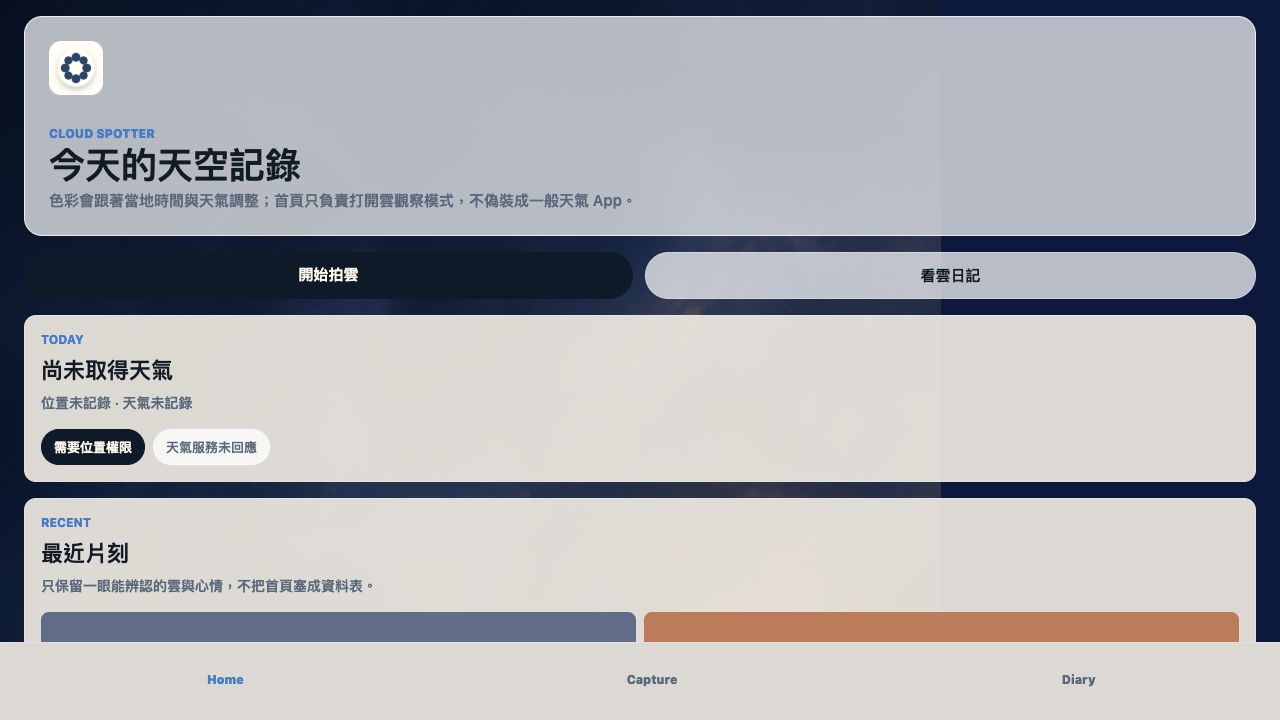 CloudSpotter WEB PROTOTYPEMake looking up at clouds a daily practice
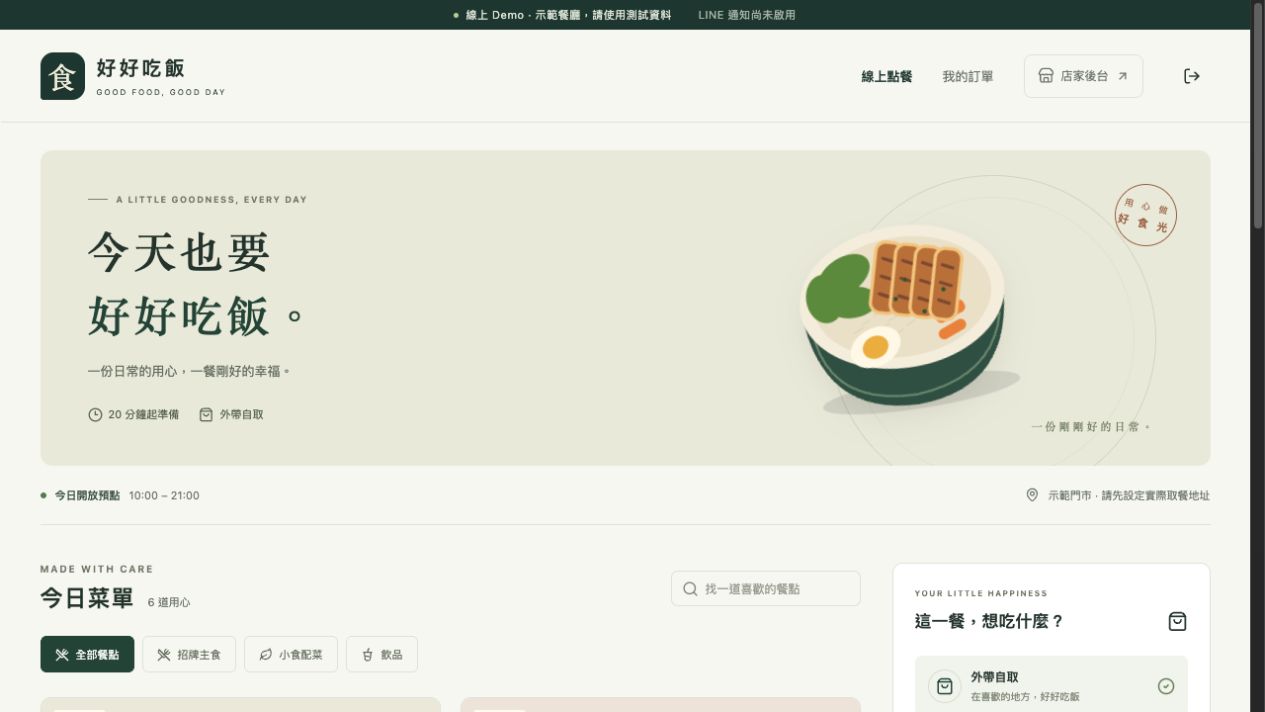 LINE OA Restaurant Ordering WEB DEMOA restaurant ordering demo built for LINE OA traffic
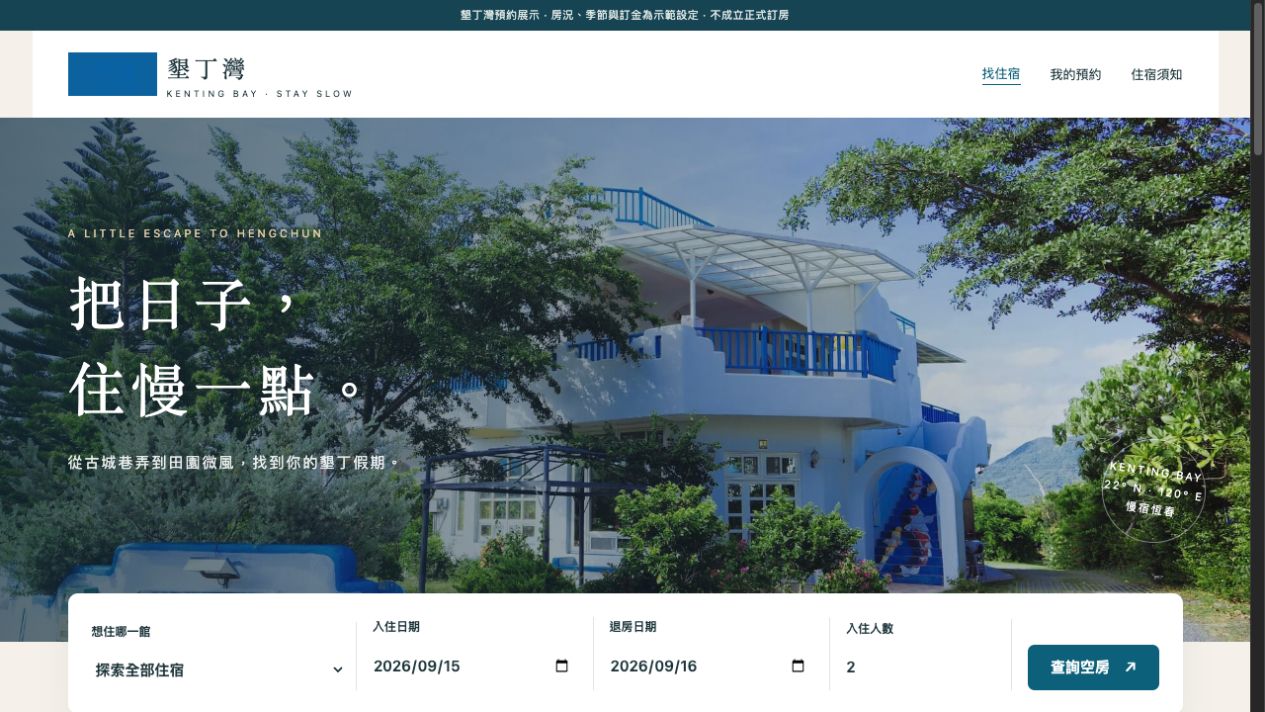 Kenting Bay (墾丁灣) Room Booking WEB DEMOFrom single rooms to whole-house rentals, exploring a LINE lodging booking flow
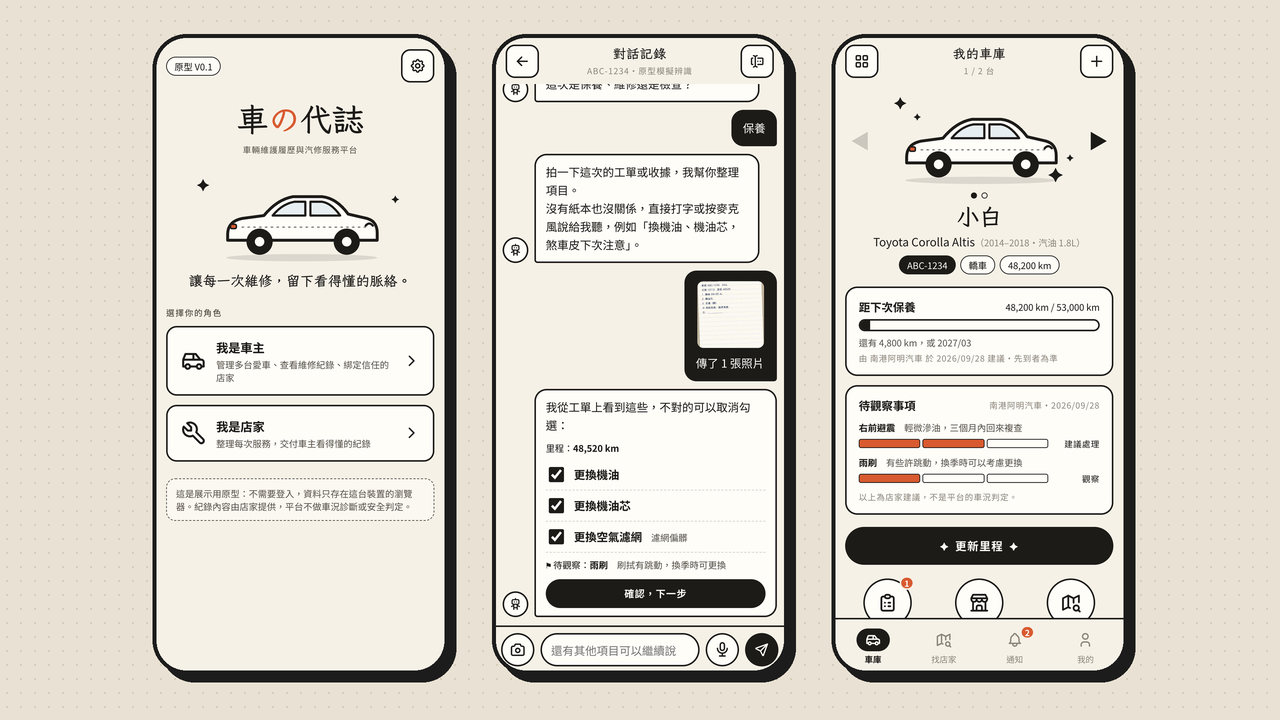 CarOK WEB PROTOTYPEA lightweight service and vehicle-history tool for independent auto repair shops
 男友救星「都可以」的救星In progress
 單車避難所歐洲單車選物代購In progress
 昨日病房沉浸式劇場官網In progress
 紅包公道伯紅包包多少替你秤In progress
 無聲頻率說出來,就放下一點In progress
 BeatsChords工作時聽的 AI beatsPaused
 LocalSnip只留在本機的截圖In progress
 今仔日の代誌等一下要幹嘛In progress
 Sharx把 moment 留下來In progress
 TBA 藝術平台作品寄往全世界Done
 官網與小遊戲會玩的手繪小街In progress
 AI 交接術Agent 對 AgentIn progress
 NFT 探索感性的區塊鏈Exploring
 WonderLand我的本業In progress
 KiWE ThunderboltGalaxy shooter · 100 levels
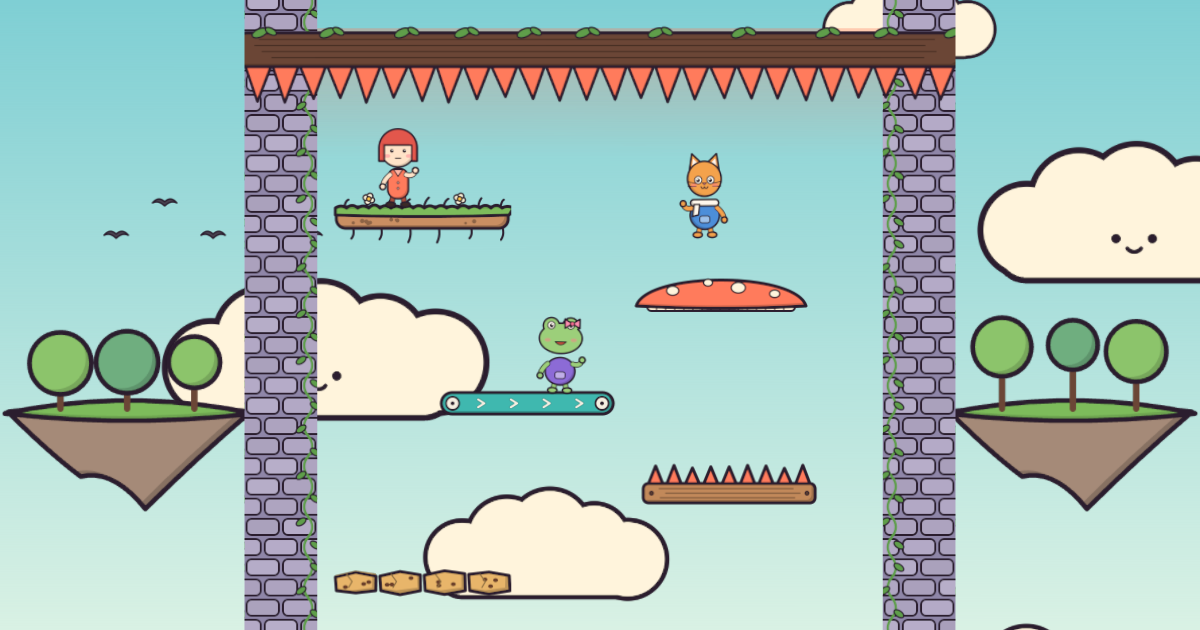 Three Kids Down the Stairs Beta 0.2.0Hop down · teams of up to 3 · voice chat
07 · Life & Companionship
Turn a meeting into a conversation
What if getting to know someone felt like one continuous journey?